

If you’re developing for the web, it’s essential to test in the browsers your users will likely use. Testing in Chrome, Firefox, and their related browsers is straightforward on most computing devices. However, testing in Safari is more challenging, as it is only available on Apple platforms and was briefly available on Windows from 2007 to 2012. Without an Apple device, you can’t legitimately install Safari.
For many, purchasing a new computer solely to test a browser isn’t feasible, especially if a Mac isn’t their primary device. Yet, testing in Safari is crucial, given its status as the second-most-used browser with 17% market share, and because every browser on iPadOS and iOS is essentially Safari with a different interface.
Chrome, Firefox, and other browsers on the Apple App Store are WebKit-based. Although some jurisdictions have pushed for Apple to support other browser engines, none have been released at this time.
Other WebKit Browsers
Safari uses the WebKit engine that’s also utilized by other browsers. WebKit is open-source and has been adopted by several browsers.
GNOME Web, also known as Epiphany, is a WebKit-based browser for Linux featured on the WebKit Downloads page. Despite its qualities, it doesn’t offer a direct Safari experience, as rendering differs slightly and Safari has unique quirks. The same applies to other WebKit browsers.
Safari integrates many native OS features, like input methods, and updates to Safari’s interface and changes in macOS, iPadOS, and iOS can impact websites. It also offers exclusive features and integrations like Apple Pay and Safari-only extensions.
Web-Based Testing Platforms
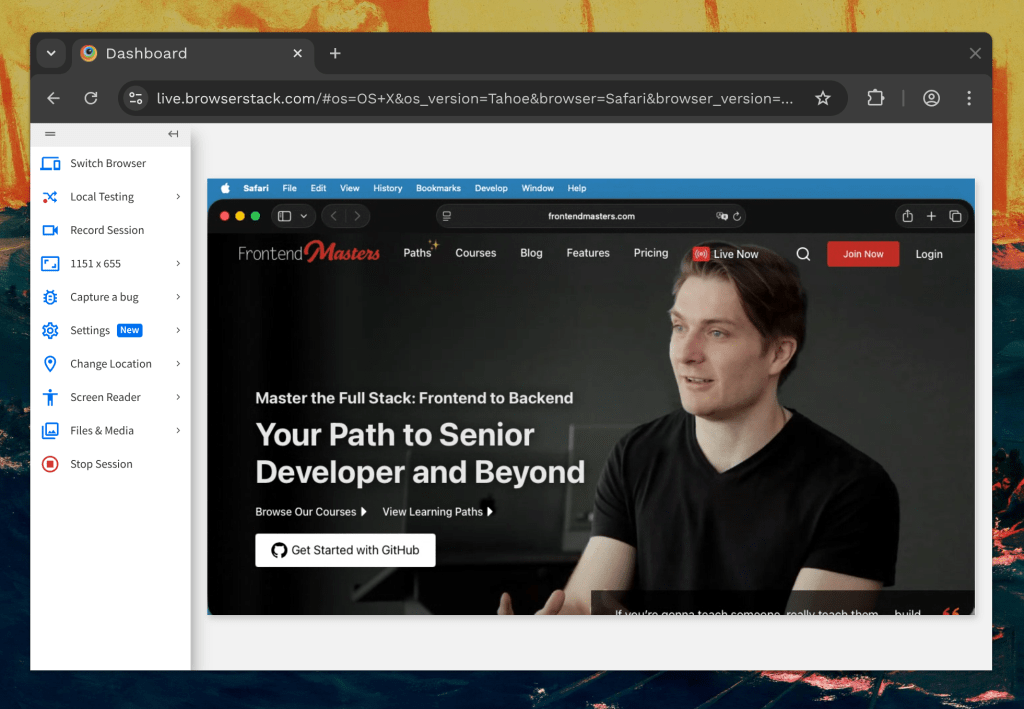
Several services offer paid access to Safari. The most known is BrowserStack, with alternatives including Browserling, TestingBot, Autonoma, and Sauce Labs.
These platforms provide numerous functions but aren’t perfect. They rely on streaming Safari remotely, limiting access and control. A poor internet connection can hinder testing, and even with a good one, the experience may not be smooth, affecting performance and visual evaluations.
Remote Hardware and Virtualization
If you’re willing to take a complex route, platforms like Amazon Web Services, MacinCloud, and Scaleway offer rented Mac access. While budget-friendly, this option has drawbacks, such as complexity and inconvenience.
Although these services allow full Mac usage since they are real Macs, streaming can introduce similar flaws as online testers. Depending on your plan, you might not have a persistent install, requiring configuration each use. Automation can streamline this setup.
One advantage is bypassing computer maintenance.
Automated CI/CD Runners
You can automate testing with WebKit or Safari using CI/CD runners, conducting tests when changes occur. Locally, you can use Playwright for WebKit tests, or employ cloud services like GitHub Actions, GitLab CI, or CircleCI for real Safari tests. Scripts can capture and document issues, aiding in failure analysis. Unfortunately, this doesn’t fully simulate using Safari, complicating debugging without an interactive Web Inspector.
Buy a Mac
The most thorough solution is purchasing a Mac, which facilitates testing in desktop Safari and on iOS/iPadOS via Xcode simulators. It facilitates testing multiple Safari versions on one device and installing Safari Technology Preview for future feature testing. While expensive, older models present cost-effective options.
If purchasing secondhand, verify storage, memory, chipset, and battery health. For MacBooks, ensure it is over 80% for battery efficacy. Note Macs aren’t typically upgradable, so the initial specs are usually permanent. Verify macOS support for Safari compatibility.
With savvy shopping, a Mac can match long-term online testing service costs, adding control and ownership benefits, and potential resale value. Consider secondhand options or damaged but functional units for savings, but avoid water-damaged devices due to reliability risks.
Wrapping Up
Hopefully, this helps you in testing and debugging sites in Safari. The process is costly, as Apple doesn’t offer Safari on Windows or Linux or allow easy macOS virtualization on non-Macs. With Apple’s chip advancements, compatibility barriers increase. The affordable MacBook Neo could ease device purchases for Safari testing, though the cost remains a factor.