
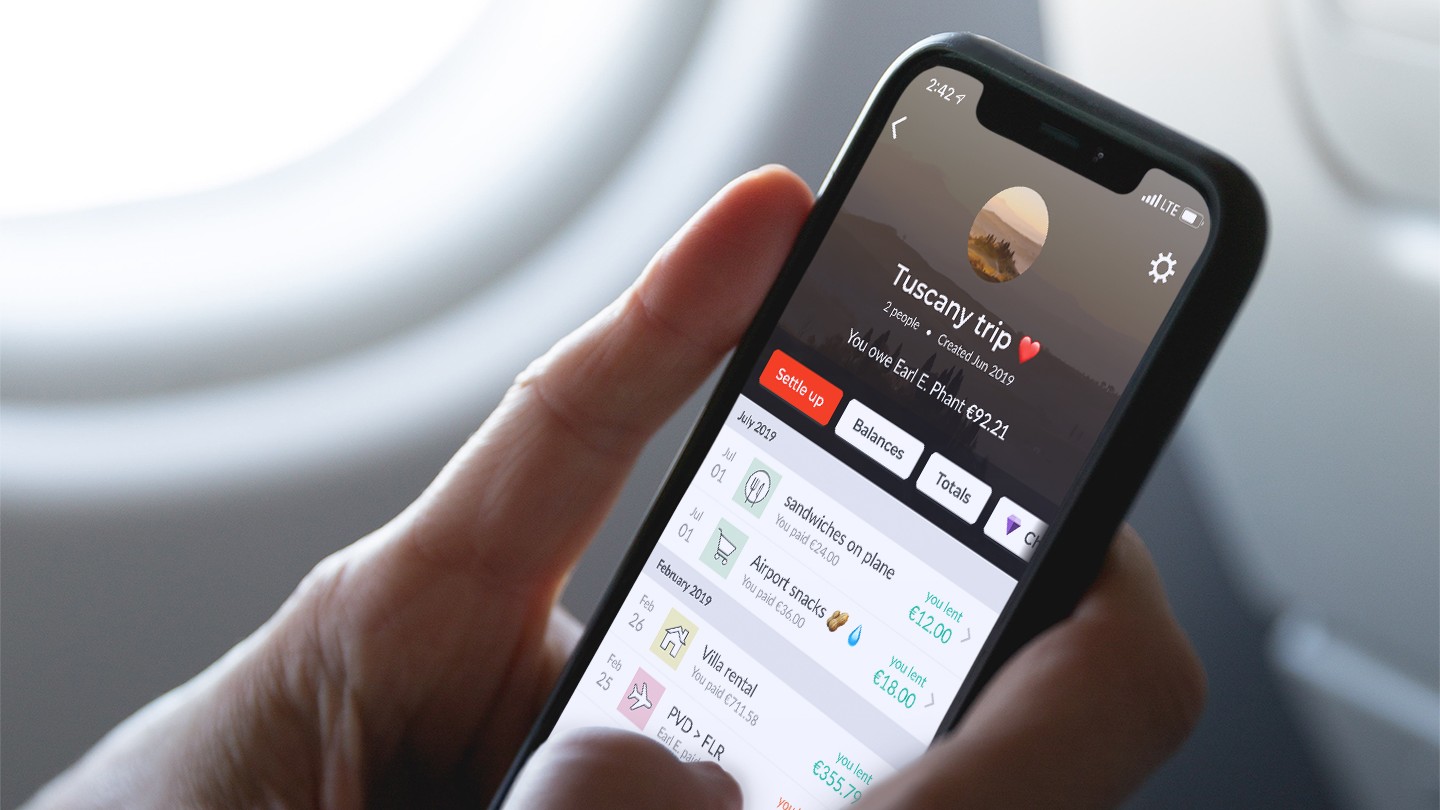

This application enhances your financial management for shared group expenditures.
If you’ve ever taken on the responsibility of financial coordination or monitoring for a collective expense, you understand how messy, puzzling, and occasionally, outright chaotic, it can become.
Whether you’re organizing a birthday celebration or a road trip with friends, basic note-taking applications just don’t suffice. Splitwise adopts a more methodical strategy, clarifying the entire process and making it exceptionally convenient to see who owes what, and how much.
I discovered the app to be highly beneficial when arranging longer trips with a group, particularly during international travels.
An uncomplicated group expense manager for the crew
How many friend circles have you witnessed disintegrate after a group vacation strained relationships? I’ve seen it occur repeatedly and have had several personal experiences as well. In my early 20s, I was frequently responsible for devising the travel itinerary and establishing a budget for everyone. There would nearly always be one person who was dissatisfied with the accounts, or claimed that the expenses didn’t align with their perspective of the finances.
Shared accountability, transparency, and responsibility avert any conflicts or uncertainties from arising. This is precisely why I’m so fond of Splitwise. It allows for no room for mistakes, everyone involved can make adjustments to the accounts and access them at any time, and it’s available on both iOS and Android, so compatibility issues are nonexistent.
Splitwise enables you to create a group for each collective expense, and you can label it as needed. Even individuals who are not using the app can be included in a group via email or phone number. Each group member can view who covered each expense, and an automatic tally indicates how much they owe or are owed and who needs to reimburse whom to settle the balance.
You really don’t need to upgrade to the paid version of this app
The app offers a paid “pro” version, but the basic “core” version is more than sufficient for managing shared expenses. Here are the core features provided with the free version of the app:
– Create groups and invite friends
– Divide expenses, track debts
– Equal or unequal distributions
– Split by percentage or shares
– Calculate total balances
– Simplify debts
– Recurring expenses
– Offline mode
– Cloud synchronization
– Spending totals
– Categorize expenses
– 7+ languages
– 100+ currencies
– Payment integrations
As you can see, the app provides detailed control over each transaction. Not only can you select the currency, include images, specify the date, or add notes for each recorded expense, but the method of splitting each expense can also be extensively customized. You can even establish a recurring expense.
Whether you wish to share a single or multiple expenses equally, unequally, by shares, by percentages, or through adjustments, everything is achievable within the Splitwise app.
Thanks to the app’s “simplify debts” feature, it doesn’t matter who paid for what, and how the bills were divided. The app performs the complicated calculations for you based on how much each individual contributed and how each expense should be apportioned.
A single group can handle multiple currencies, and no one has to puzzle over conversions because Splitwise does that for you! This is particularly advantageous for international journeys. Unfortunately, currency conversion is a premium feature, although you can still log expenses in various currencies within one group in the free version of the app.
Regular international travelers benefit the most from the pro version
The app’s pricing structure is quite reasonable, and you can avail yourself of a free one-month trial to determine if Splitwise Pro is worth your investment. Paying $4.99/month or $39.99/year is definitely justified given the extensive premium features it unlocks, such as unlimited expenses, currency conversions, and more.
Here’s a comprehensive list of the premium features:
– Unlimited expenses
– Transaction import
– Currency conversion
– Receipt scanning
– Itemization
– Charts and graphs
– Expense search
– Save default splits
– An entirely ad-free experience
– Early access to new features
To date, I haven’t found a reason to purchase Splitwise Pro. Whether on a weekend getaway to Jakarta with friends, going to the movies with my siblings, or organizing date night with my partner, the free basic Splitwise has sufficiently met my needs thus far.
Since the daily expense count is capped at just five currently, I don’t believe the day when I will need to upgrade is far off. However, before committing to Splitwise Pro, I recommend exploring free alternatives, as that’s precisely what I plan to do when the time arrives.
You may discover an unexpected gem of an app. I might be late to the Splitwise experience, but I can suggest a few free alternatives that I’ve heard positive remarks about. Check out apps like AiMoola, Settle Up, MemoGo,