
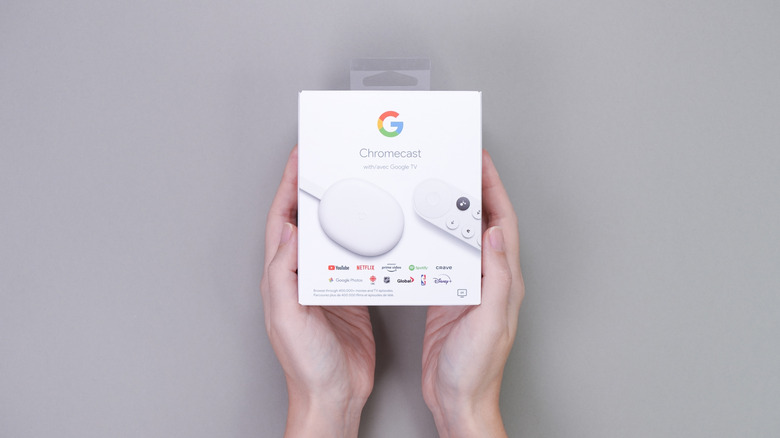

Google TV platform installed by default instead of a tailored operating system. Yet, some users might favor utilizing set-top boxes or streaming devices linked to their TV to reach their preferred streaming platforms. The Google TV Streamer and the assortment of prior Google Chromecast variants stand out as available streaming solutions. These gadgets are fundamentally miniature computers and may encounter issues. If troubleshooting doesn’t resolve the problem, the Chromecast models can be reverted to factory settings if other remedies prove ineffective. Instead of accessing the device’s settings, you can simply press a small button located on the back of your Chromecast to initiate the factory reset procedure.
For older models, the button might be situated on the side, but regardless, the button is handy when you are unable to access the operating system to kick off a factory reset. This physical button serves as a quicker alternative to factory reset the Chromecast once you ascertain that a device reboot won’t rectify the core problem. However, resorting to a factory reset should follow after attempting other solutions. Besides power cycling the device, you can uninstall and reinstall apps as well as update the firmware to address the root issue.
A factory reset is also essential before selling or transferring the Chromecast to a different user. This procedure guarantees that your personal information is removed from the Chromecast, encompassing Google account logins and streaming applications. Google has launched a variety of Chromecast devices (discontinued in 2024) over the years, such as the Google TV Streamer, Chromecast with Google TV, Chromecast Ultra, third-generation Chromecast, second-generation Chromecast, first-generation Chromecast, and Chromecast Audio device. All can be restored to factory settings in two methods: via the Settings menu or by using the hardware button.