

**5 Indicators You Should Replace Your 3D Printer**
The emergence of consumer technology to the point where 3D printers are feasible undeniably highlights our progress. Unfortunately, no matter how advanced our devices get, we have yet to discover a way to ensure their longevity. This also applies to 3D printers — sooner rather than later, they will start showing signs of unavoidable deterioration, ranging from persistently poor-quality prints to frequent freezes and malfunctions.
While 3D printers are becoming more prevalent, they are highly intricate devices comprising many moving components and programmed routines. Much like a finely-tuned watch, when one part malfunctions, it can cause a chain reaction affecting the overall operation. You might extend the life of your 3D printer with some replacement parts and regular maintenance, such as cleaning the bed, but if it persistently shows any of these signs — and especially if it showcases multiple symptoms — it may be time to consider getting a new one.
**Prints are consistently low-quality, even after adjustments**
If your 3D printer regularly fails to yield quality prints, that’s a solid indication that something is amiss. While unsuccessful or subpar prints aren’t necessarily a harbinger of immediate breakdown — particularly if you’re trying out a new design for the first time — after a couple of adjustments, you should expect satisfactory results. Numerous quick fixes can enhance print quality, like leveling the bed and inspecting the nozzle.
It’s specifically when your printer struggles to produce the desired output, even after you’ve made those adjustments, that you may need to delve into the hardware. If issues persist regardless of how much you tweak the print settings or the process— including the temperature settings, nozzle speed, and replacing worn-out belts or blocked nozzles— it could indicate that a critical internal component has experienced an unrecoverable failure. If concerned, try printing a different design, particularly one you’re confident your printer can manage. If that prints successfully, the issue may lie with the previous design. However, if the backup design is also flawed, particularly in the same manner as the previous one, this might not be a problem you can resolve through adjustments.
**The printing process is noticeably sluggish**
Generally speaking, 3D printers aren’t known for their speed — you’re crafting intricate shapes and forms from nothing but melted plastic, after all. In fact, seasoned 3D printing professionals generally agree that intentionally slowing down the process yields superior quality prints. However, there exists a delicate boundary between “taking time” and “taking excessively long.” A 3D printer may be slow, but if it appears to be operating significantly slower than usual, something might be deteriorating.
There isn’t a single benchmark for how long 3D printing should take. It all hinges on the size and complexity of the print, with small, simple models taking about an hour and more sophisticated constructions possibly requiring several days. If your prints are taking longer than that, it might indicate that components of your printer are clogged, damaged, or wearing out. If you suspect a print is taking too long, try switching to a simpler model or utilizing a less complex infill pattern to expedite the process. If it remains excessively delayed, there might be an internal issue hindering progress.
**The printer frequently stops and freezes**
More alarming than a slow printer is a device that consistently freezes or fails during the printing process. Even if there’s a minor filament jam or the nozzle is sluggish, as long as it is still moving somewhat and dispensing, you may be able to resolve the issue. Even if it temporarily halts, it might simply have run out of filament while you weren’t observing. On the other hand, if the printer completely seizes and becomes unresponsive, it’s almost certainly an indicator that something has gone significantly awry.
Regular interruptions and failures during a printing job are often indications of serious internal component wear, to the point where the printer is unable to continue functioning effectively. There are various mechanical factors that could cause this situation, such as an overheating motor or a clogged extruder. These issues rarely occur in isolation and can often be resolved with some rapid adjustments. However, if they persist despite your attempts, it could suggest that the internal components are failing and nearing a breakdown.
**You’re replacing components more frequently than usual**
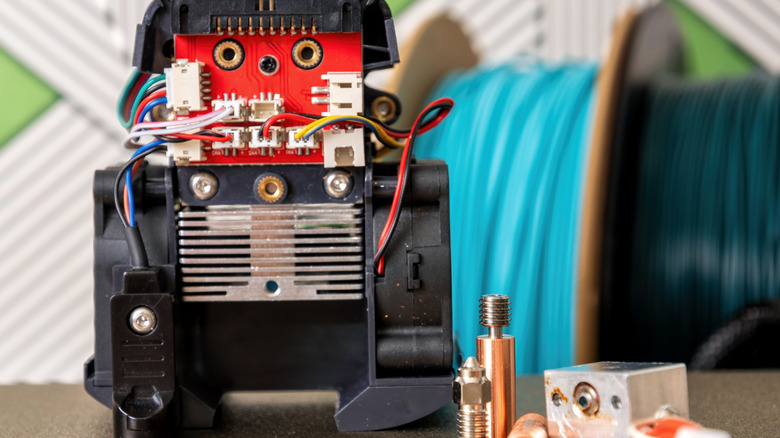
Ideally, all the aforementioned issues could be addressed by swapping out the relevant parts for new ones. Whether it’s the nozzle, the internal belts, the extruder motor, or the drive