
Three Efficient Techniques for Securely Storing Your iPad Data

Three Efficient Techniques for Securely Storing Your iPad Data

2 Min Read

use your iPad as a substitute for a laptop or a digital drawing pad, and it’s likely you have various files, photographs, design documents, and personal messages saved on it. Given the importance of this information, the last situation you wish to encounter is having your iPad stolen, misplaced, or irreparably damaged. Therefore, it’s wise to back up your iPad beforehand to safeguard your vital data.

There are multiple approaches to backing up your iPad. You can opt for one of the numerous third-party programs available, but they often involve steep annual fees or lack reliability. For optimal backup solutions for your iPad, it’s advisable to stick to official methods: utilizing iCloud Backup, your Mac, or a Windows PC.

Method 1: Back Up to iCloud

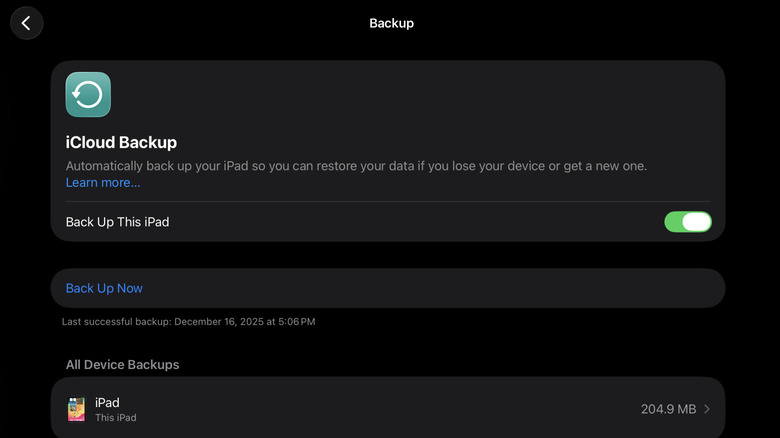
Your iPad is equipped with a convenient built-in backup feature — the iCloud Backup — which transfers your data to the cloud. It activates automatically when you log into your Apple account during the initial setup. However, it’s a background process that you won’t see in action. iCloud Backup begins to operate discreetly when your iPad is plugged into a charger, locked, and connected to Wi-Fi.

Although iCloud Backup is automatic, you can opt to back up your iPad manually if you prefer an up-to-date copy. Follow these steps:

  1. Launch Settings.
  2. Select your name at the top.
  3. Choose iCloud to access the iCloud settings.
  4. Select iCloud Backup.
  5. Press the Back Up Now button.

At this point, all you need to do is wait for the process to complete. Ensure you remain connected

You might also like