
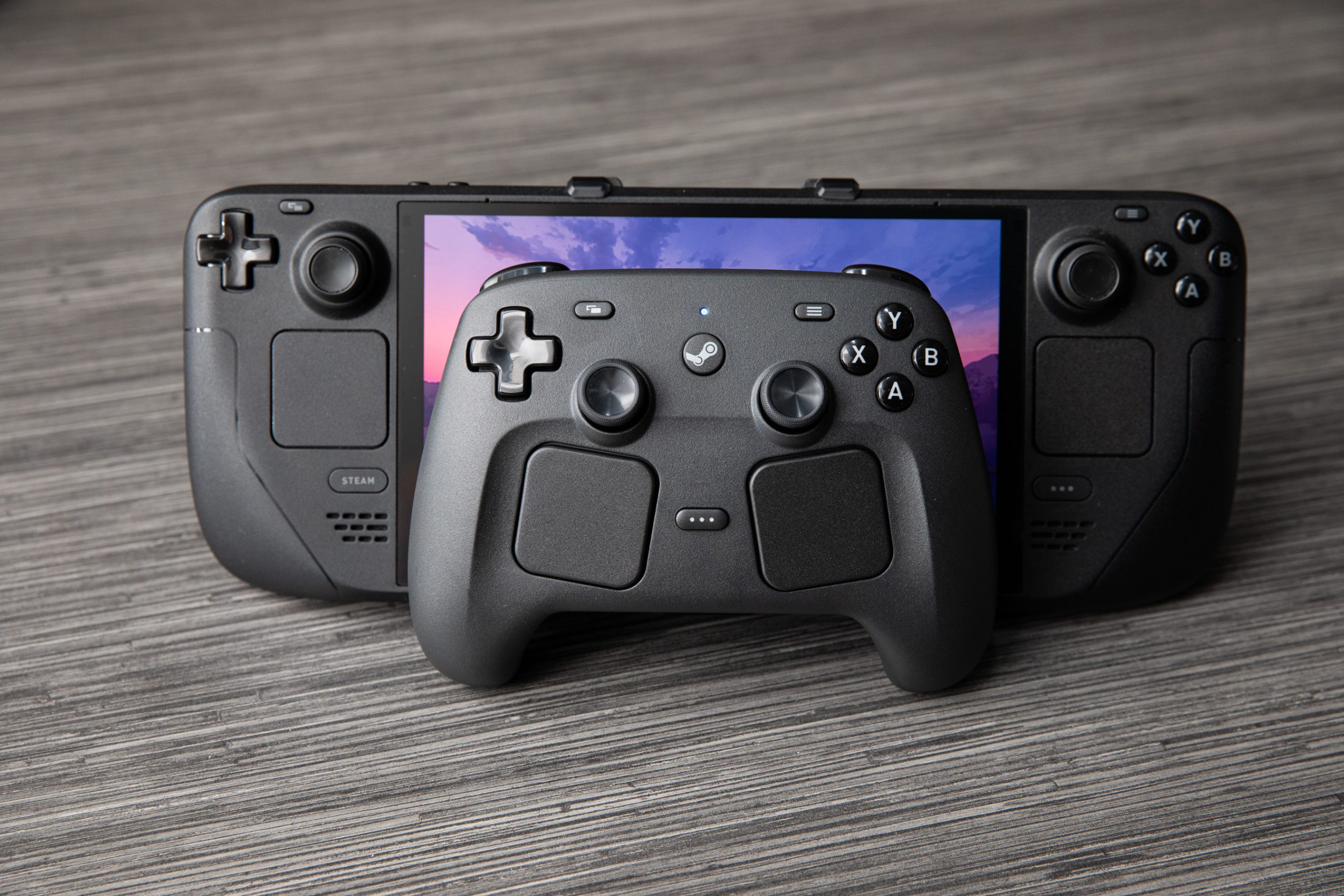

I’ve been searching for a controller that matches the customization and functionality of Valve’s Steam Deck, and Valve has delivered.
After my brief experience with Valve’s new Steam Controller last year, I thought it could be my ideal controller. I’ve been on the lookout for a controller offering the customization and functions provided by Valve’s Steam Deck for playing games on the TV. Many others have awaited this as well.
Having used the new controller for over two weeks, it’s already transforming my gaming experience at home. I previously preferred the Steam Deck handheld for couch gaming due to its comfort. However, the new Controller now has me docking the Deck to play on the TV as it feels even better.
I’ve spent hours creating absurd combos in Vampire Crawlers, destroying bots in Pragmata, and battling fierce zombies in Resident Evil 2. Regardless of the game, I can customize any button or input to my liking, allowing me to create unique layouts that automatically load for each game.
Even better, layouts made on the Steam Deck transfer seamlessly to the Controller and vice versa. They should also work when bringing the gamepad to play at a friend’s place. Check out Cameron Faulkner’s story for more on how this customization surpasses other controllers on the market.
Some aspects weren’t as favorable, like the trackpads’ position. Nevertheless, I’ll be spending $99 on Monday, May 4th, to purchase one for myself.
Everything came together when I instinctively pressed the R4 back button, and the Controller captured a screenshot using the same shortcut set on my Steam Deck. This, along with other transferred controls, highlighted the value of a first-party Valve controller.
Typically, when I dock my Steam Deck and use a wireless gamepad, I compromise on controls. However, with the Steam Controller and Steam’s extensive settings, it feels like I’m still using the Deck, maintaining familiarity and endless customization.
The seamless experience is a plus because the Controller is impressive. Like the Deck, my fingers naturally fit around the Controller’s grips, and both joysticks and buttons are easily accessible by thumb. There’s no rattling, and the D-pad and new Steam and Quick Access buttons feel solid. Quick Access is convenient for quick adjustments, like volume. The rumble surpasses my 8BitDo Ultimate 2 Wireless, though Sony’s DualSense haptics remain superior.
Connecting the controller with my Steam Deck is easy. You can use a USB-C puck establishing a 2.4GHz connection or opt for Bluetooth. The puck also magnetically attaches to the Controller for charging.
A favorite feature is a small LED at the top displaying different modes with colors. White is for the 2.4GHz connection, blue for Bluetooth, and it flashes red during updates. Another nice touch is the deck-like chime when turning on or off.
Valve claims over 35 hours of gameplay on a full charge, and the puck’s convenience means I don’t worry about battery life. While some might prefer AA batteries due to rechargeable degradation, I favor the convenience, and the battery is replaceable with companies like iFixit expected to sell replacements.
No noticeable latency occurs between the 2.4GHz and Bluetooth connections while seated up to 12 feet from the puck. Even in latency-sensitive games like Hollow Knight: Silksong, any errors were my mistakes, not the Controller’s. Notable latency only appeared when moving to distant rooms.
Most players will be fine with either connection for desk or couch gaming. Valve’s Pierre-Loup Griffais mentions Bluetooth limitations arise if using multiple Bluetooth controllers or downloading games on PCs where Bluetooth and Wi-Fi share an antenna.
New to this Steam Controller is Grip Sense. Capacitive sensors allow each grip to function as a button, and like everything else, either can be mapped as desired. Grip Sense generally activates when the palm curls around the grip, making it ideal for gyro controls. While it was sensitive as a trigger in Resident Evil 2, that’s likely not its main use.
The trackpads were disappointing, as using them extensively as a mouse was uncomfortable. In Resident Evil 2, while providing finer control, I preferred the right joystick. The trackpads were useful in Vampire Crawlers for hovering over info inaccessible with gamepad controls. They’re practical for desktop navigation but not for prolonged mouse-based gaming.
I also wish for a headphone jack like the DualSense and Switch Pro. It’s more convenient than wireless headsets. USB-C headphone connections on top don’t support audio.
Moreover, since the Steam Machine and Steam Frame availability and pricing remain unknown, they haven’t been tested with these devices yet. I only have one Steam Controller, while Cameron has another elsewhere, precluding multiple connections testing. Each puck supports four connections.
Despite this, the Steam Controller nearly meets my ideal criteria. Its $99 price tag is high, especially with other available controllers, but those lack its unique advantages. The extra features justify a purchase for me.