
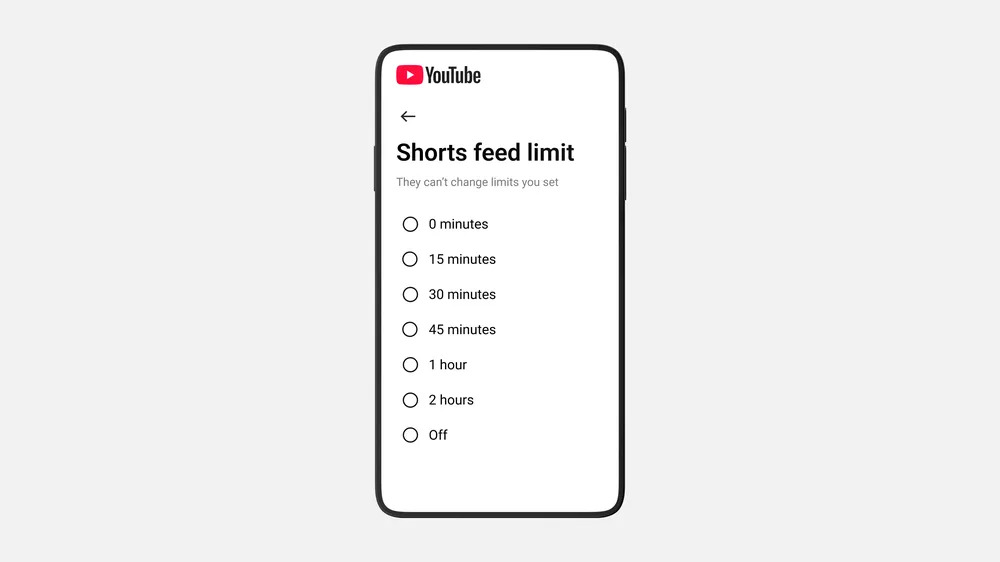

All YouTube users can now set their Shorts’ time limit to zero minutes.
YouTube has added a feature in its time management settings allowing users to set a zero-minute limit on Shorts, essentially removing them from Android and iOS apps. This update follows an earlier announcement from October where 15 minutes was the minimum time limit. In January, the feature was expanded to give parents control over their children’s Shorts browsing time, with a zero-minute option promised soon. YouTube spokesperson Makenzie Spiller has confirmed that the zero-minute option is now available to all parents and is being rolled out to all users, including those with regular adult accounts. This can be a helpful tool for those wanting to reduce screen time. When the time limit is reached, the Shorts tab will not display any videos and will only show a notification stating the Shorts feed limit has been reached. Testing has shown that setting the timer to zero also removes Shorts from the Home screen. To enable the timer, access the YouTube app settings, choose “time management,” toggle on the Shorts feed limit, and select your preferred time.