
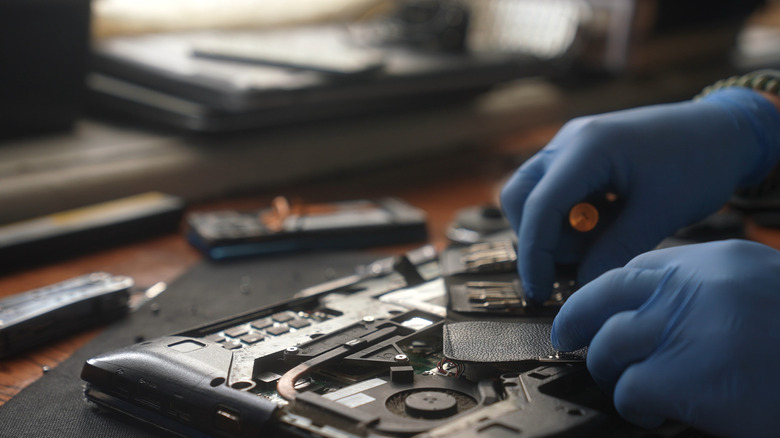

**5 Of The Most Notable Tech Repair Misunderstandings You Should Disregard**
When a device malfunctions or a certain part fails, like a laptop that won’t charge because of a drained battery or won’t power on at all, you typically face the choice between repair and replacement. For a considerable period, repairs seemed to be a favorable option, then replacing devices became increasingly prevalent, but recently, repairs have gained traction once again. Nonetheless, many individuals continue to believe the most significant tech repair misunderstandings. While exceptions will always exist, these misconceptions should not deter you from pursuing repairs or even contemplating the concept.
Many of these misunderstandings arise from aggressive marketing strategies by manufacturers, while others stem from personal experiences. For example, repaired devices might sometimes fail again shortly after, or people may experience data loss during repairs; however, these occurrences are not as common as suggested. Companies profit when you replace devices that have one defective part, while with repairs, you usually save time, money, and effort.
Keep in mind that repairs can often be a smart decision in numerous cases, while being outright impractical in some. To grasp how that operates, you first need to recognize the prevalent repair myths. This will empower you to make an educated decision based on the device’s condition and other pertinent factors.
### Repairs Aren’t Effective Over Time
A prevalent myth regarding tech repairs is that they aren’t effective, especially long-term. Many assume that the device will fail sooner if the defective part or the entire device isn’t replaced. While this might have been true for some, it cannot be deemed fact. The effectiveness of repairs is largely determined by the quality of the work conducted and the severity of the issue. For instance, low-quality repairs typically lack effectiveness, and the problem is likely to resurface. Similarly, if the issue is too intricate and threatens other components, such as a motherboard problem, replacing that part might be the wiser choice.
Conversely, there are problems that are straightforward to resolve. For instance, if your system is overheating, just cleaning the PC to eliminate dust buildup can help lower temperatures to safe levels. On older laptops with removable cases, this often doesn’t even necessitate professional assistance. Likewise, there are moments when repairs or workarounds are financially viable. For example, if your laptop has broken or damaged hinges, they can be fixed at a fraction of the cost of a new device. Similarly, if a USB port is malfunctioning, you can utilize a USB hub or docking station.
As long as you have the repairs performed by the OEM or a professional, this generally poses no issue. Additionally, some providers offer warranties on repairs, ranging from 3 to 12 months. Confirm that, and if feasible, choose those options for superior work quality.
### Older Devices Are Not Worth Repairing
Another misconception that people often believe is that fixing older devices is not worthwhile, especially when newer models are accessible. This is primarily based on the belief that older devices are susceptible to problems, and even if one is repaired, another component will eventually fail. However, this is far from accurate, particularly for devices that have been well maintained.
For instance, if you own a 5 to 7-year-old laptop that has poor battery life and has slowed down over time, replacing the battery and upgrading from an HDD to an SSD will enhance performance. Adding more RAM could also make it feel faster. These are significantly more cost-effective alternatives compared to acquiring a new laptop. Another drawback with modern laptops is that many now come with soldered RAM, which, while faster, isn’t upgradeable. Furthermore, with the increasing prices of RAM and SSDs, computer costs have surged in recent years, making repairs increasingly practical and financially sensible.
Of course, for certain older devices, repairs may not be advisable. For example, a laptop or smartphone that no longer receives updates poses a security risk, and obtaining one that is still supported is a better option. Nevertheless, there are workarounds. Recently, users of devices that didn’t meet the requirements for Windows 11 transitioned to alternatives like Linux or ChromeOS Flex to ensure continued functionality and long-term software support.
### Third-Party Repairs Are Inferior and Void Warranty
While this may have held true a decade ago, the current landscape is quite different. Numerous professional third-party repair centers now exist, providing the same quality of service and products as OEMs. Therefore, third-party repairs are no longer inferior.
Moreover, the concern of voiding warranty is another frequent misconception. However, not every repair from a third-party professional will void your device’s warranty, as long as it remains relatively new and covered under the warranty program. To determine the types and extent of repairs permitted by the manufacturer, refer to the device’s manual or the OEM’s website. Additionally, with stricter laws being enforced and the Right-to-Repair Movement gaining traction, manufacturers are being compelled to simplify repair processes. Furthermore, companies like Framework are now advocating for modular designs.