
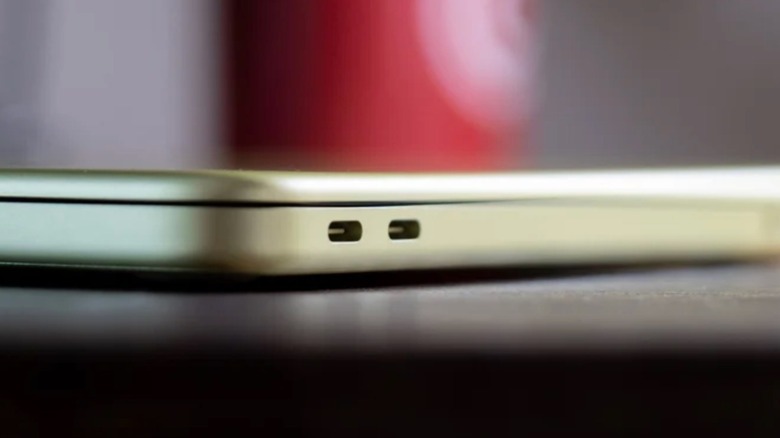

If you’re looking for a new laptop due to your existing one constantly overheating, your focus should be on a model that manages heat effectively. This largely depends on the material of the computer’s chassis: metal or plastic. When evaluating the two, metal is the superior choice for cooling, as it spreads heat from internal components across the entire laptop surface, which is why devices like the MacBook Air operate without a fan.
Conversely, if you own or have owned an Intel MacBook, you may recall how the chassis would become quite hot due to its inefficient processor. In such scenarios, a plastic laptop body is preferable, as it won’t burn your lap, for instance. Although plastic acts as a thermal insulator that retains heat within the chassis, the heat is focused around the processor. Internal fans work diligently and spin rapidly to expel that hot air through the vents to reduce the temperature. Nonetheless, both finishes have their advantages and disadvantages, and the decision ultimately hinges on your preferences for your next laptop.
Metal laptops exude a premium feel, but the processor is crucial.
Apple serves as an exemplary manufacturer of high-end laptops featuring an aluminum finish. All their devices possess metal chassis, and models such as the MacBook Air are fanless due to their adept heat management. The silicon is power-efficient, ensuring that even when the M chip reaches its processing limits, the laptop won’t overheat. Additionally, the metal finish plays a significant role as it operates as a passive cooling system, distributing heat away from the processor.
However, Apple did incorporate a fan in more powerful variants like the MacBook with Pro and Ultra chips, which aids in distributing and dissipating heat more rapidly. This effective temperature regulation keeps the internal system cool, thereby preventing the metal chassis from reaching uncomfortable temperatures.
The inclusion of a fan still proved insufficient for more demanding tasks, as Apple’s MacBooks with this feature still faced overheating, reduced performance, and poor battery life under such conditions. Therefore, if you’re considering a laptop with a metal chassis, be sure to research its processor to avoid purchasing a device that overheats when you need it to perform more demanding tasks.
Plastic laptops have improved, believe it or not.
Plastic laptops are not the optimal choice for keeping internal hardware healthy, as heat dissipation is not as effective as in metal. Still, if you look at high-performance laptops, like gaming ones, they predominantly utilize plastic.
The reasons include that a plastic chassis is less expensive to manufacture, contributes to a lighter laptop, and offers greater resistance to drops, as plastic is more flexible and less prone to denting than metal. Thus, if you’re engaged in intensive tasks that maximize the processor and GPU, such as online gaming or 3D rendering, then a plastic laptop can be a worthwhile option.
Plastic laptops are generally easier to upgrade, as metal devices often have a unibody design that makes them nearly impossible to open. With a plastic base, it is simpler to access the laptop’s internals for upgrades like RAM, storage, and more. For instance, on a MacBook, everything is highly regulated by Apple, making attempts to open it likely to result in damage to your expensive device.