
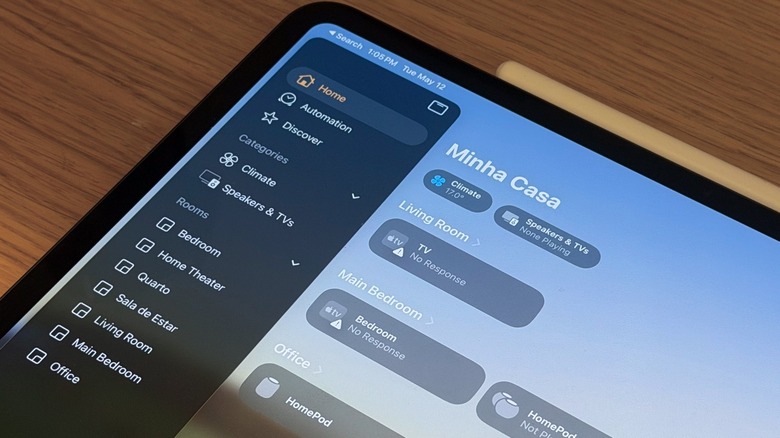

In 2026, Apple is anticipated to launch a variety of new smart home gadgets. Although reports suggest delays due to issues with Apple Intelligence and Siri’s inability to manage basic conversations, the company persists in enhancing the core of the experience, the Apple Home app. With the release of iOS 26 in September 2025, Apple introduced a brand-new Liquid Glass design, Adaptive Temperature for compatible thermostats, and additional features that enhance the software’s utility.
Despite Apple recently launching iOS 26.5, the focus on the Home app has been limited since the iOS 26 debut last autumn. Nevertheless, users dependent on the Home app for managing their smart devices and home received some improvements, notably one that impacts HomePod speakers directly.
Rumors indicate that Apple is in the process of launching a completely new Apple TV 4K, new models of HomePod, a HomePad combining a HomePod with an iPad display, security cameras, and a locker featuring Face ID. While we may have to wait for the announcement of iOS 27 or beyond for further details on these products, here are some significant updates Apple incorporated into the Home app in iOS 26.
**Adaptive Temperature**
A key feature introduced in iOS 26 for the Home app is Adaptive Temperature. After all, thermostats serve their purpose best when you don’t have to constantly think about them. With the newest software update, your iPhone can take on the heavy lifting of predicting your arrival home and adjusting the temperature accordingly. Therefore, whenever you return home from work, drop your kids off at school, or face a particularly hot or cold day, your home will be at your preferred temperature.
This functionality goes beyond merely tailoring the temperature to your preferences; it also aids in energy conservation when you’re away, as the house doesn’t need to be heated or cooled if it’s unoccupied. Leveraging on-device intelligence, Apple states that this feature learns from your routine by analyzing the sleep schedule set on your iPhone, ensuring the ideal temperature is maintained for when you go to bed or wake up.
To utilize this feature, Apple specifies that users must have either an Apple TV or HomePod, along with a Matter-compatible thermostat. Additionally, certain prerequisites need to be met, such as having the latest software version on the smart home device and enabling location services for the Home app and Home Accessories.
**A new Liquid Glass experience**
The second notable update in the Apple Home app with iOS 26 is the launch of the Liquid Glass design language. When introducing iOS 26, the company asserted that Liquid Glass “enhances apps and system experiences, making them more expressive and delightful, while keeping iOS consistently familiar.” With this modification, Apple aims for users to focus on content while engaging with their devices, resulting in more seamless interactions as app icons, widgets, and navigation become more cohesive.
Despite a redesigned app icon for the Home app, Apple also presents a new Clear icon along with refreshed Default, Dark, and Tinted choices. For instance, when users access the Home app in iOS 26, they will experience the new Liquid Glass UI for navigation, with the bottom tabs positioned in a hover bar.
By swiping across the “Home,” “Automation,” and “Discover” tabs, users will gain a deeper appreciation of the Liquid Glass experience within the app and how Apple prioritized content. Finally, the company has also revised the toggles and the way interactions occur when tapping on the products paired in the Home app.
**AirPlay enhancements and enroll multiple accessories**
Related to the Home app, the third new feature included in iOS 26 involves enhancements to AirPlay. AirPlay is Apple’s unique technology that allows users to stream video and audio on various devices including speakers, TVs, and soundbars.
With the latest software update, when your HomePod is playing music via AirPlay, all users included in the Home app can view the track, manage the music playback, and even choose which HomePod speakers are involved in playing the song. This functionality promotes a more collaborative audio experience for everyone. Additionally, Apple has upgraded AirPlay with Siri, allowing you to request that Siri play audio on other HomePod speakers throughout your home.
The fourth enhancement was introduced later with iOS 26.2. In this update, Apple included multi-pack accessory pairing. Essentially, if you need to add multiple accessories from a single manufacturer, such as light bulbs or strips that comply with the latest Matter standard, you can utilize the same setup code, streamlining the process of pairing all of them with your Home app and managing them via your iPhone, iPad, or smart home hub. Previously, users had to pair each accessory individually.